Introduction
Mimir records what your coding agents attempted, which models and files were involved, what failed, and whether the work actually landed. The Worker, storage, and private dashboard run inside your Cloudflare account.
Start here
Section titled “Start here”Install the latest checksum-verified release:
curl -fsSL https://raw.githubusercontent.com/cloudboy-jh/mimir/master/install.sh | shWindows PowerShell:
irm https://raw.githubusercontent.com/cloudboy-jh/mimir/master/install.ps1 | iexTry it locally
Section titled “Try it locally”Explore the dashboard with synthetic data before deploying anything:
mimir demoThe demo binds only to loopback, opens in your browser, and requires no Cloudflare account, connection, model credentials, Node.js, Bun, or Go.
Create a deployment
Section titled “Create a deployment”A fresh deployment needs a Cloudflare account, an OpenRouter API key, Node.js 22 with npm, and network access to npm and Cloudflare. It does not need Bun, Go, or a source checkout.
mimir setupSetup deploys the embedded Worker and production dashboard, creates or reuses D1 and R2, applies migrations, registers this machine, and stores the OpenRouter key as a Worker secret.
Connect another machine
Section titled “Connect another machine”Install the CLI on the other machine, then run:
mimir loginVerify the first session
Section titled “Verify the first session”- Run
mimir doctor --jsonand apply the harness activation action it prints. - Run
mimir doctor --jsonagain and resolve every failed check. - Start a normal coding-agent session and send one real prompt.
- Find it with
mimir list --jsonor open it withmimir dashboard. - Confirm durable persistence with
mimir session status <id> --json.
Dashboard
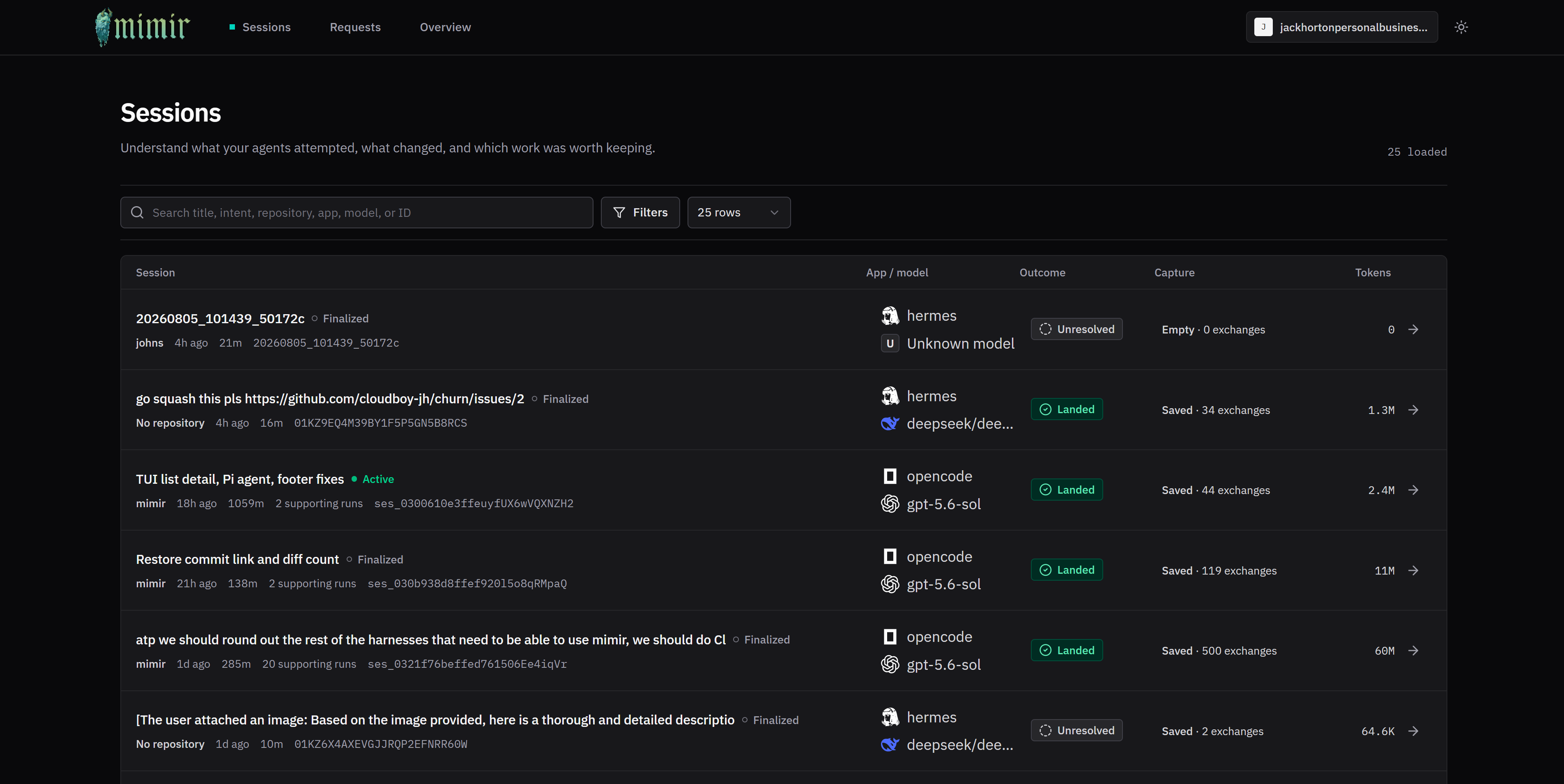
Section titled “Dashboard”The private dashboard keeps sessions, outcomes, capture state, harnesses, models, and token usage visible in one place.
What Mimir remembers
Section titled “What Mimir remembers”A session is one episode of agent work, not a bag of disconnected requests. Mimir reconstructs the session so you can see:
- the task, repository, app, models, duration, and token use;
- full redacted proxy exchanges and bounded exchanges reconstructed by supported harness integrations;
- supporting runs, tool-touched files, real error signals, and model switches;
- whether durable capture succeeded;
- whether the work landed, was discarded, was abandoned, or remains unresolved.
Search: "token validation"
Previous session outcome discarded models gpt-5.6-sol, claude-opus-5 files auth.ts, proxy.ts error token validation failed
Result: the next agent avoids the same dead end.Mimir deliberately keeps two facts separate:
- Capture state describes durable memory: Empty, Pending, Saved, Failed, or Partial.
- Work outcome describes the result: Landed, Discarded, Abandoned, or Unresolved.